Seguridad Mania.com - España y América Latina
Portal sobre tecnologías para la seguridad física
- Destacamos »
- software Anti Blanqueo

BELLEVUE, WA -- (Marketwired) -- 09/25/14 -- Adaptiva, a leading global provider of add-ons for Microsoft's System Center Configuration Manager (SCCM), today announced its "5 Tips for XP Migration" to help IT departments migrate from Microsoft Windows XP to Windows 7 or 8 using SCCM. According to a recent user survey Adaptiva conducted with more than 100 TechEd North America 2014 attendees, more than half (53%) are still running XP in their organization. Adaptiva's 5 Tips encapsulate best practices from some of the world's largest enterprises that have successfully migrated from Windows XP using SCCM.
"It is very difficult for a large organization to move off of Windows XP completely, especially one with many operating locations around the globe," said Deepak Kumar, Founder and CTO, Adaptiva. "IT departments can begin taking steps now to ensure a smoother migration, whether moving from Windows XP or from Windows 7 to 8. Our 5 Tips come from successful enterprise migrations where they have reduced costs, slashed migration times, and improved success rates."
Leading analyst firm Ovum estimates that it could take a company as long as six months to upgrade 1,000 machines using traditional, manual approaches to an OS upgrade -- with some mid-size organizations taking up to two years to complete. Even with SCCM, the market-leading operating system deployment (OSD) automation solution, companies may still be held back by time and cost constraints.
Adaptiva's 5 Tips for ensuring a smooth Windows XP migration with SCCM include:
1. Optimize Your Task Sequences: Plan for debugging and troubleshooting when creating task sequences. Make use of logical phases -- called groups in task sequences -- so others can more easily monitor for success/failure, perform troubleshooting, and remediate. Plan ahead for debugging by saving log files to a network share, otherwise there will be no way to perform root cause analysis in the event of failure during the pre-OS phase.
2. Ensure the Health of SCCM Clients: The success of each migration depends on a healthy Windows system with a properly functioning SCCM client. Administrators need to be sure all the clients are problem-free well in advance of migration. If problems are detected and corrected at the start of migration, large delays may occur, such as processing of backlogged system updates.
3. Make Friends with the Network Team: Make the networking team part of the planning process. A good working relationship with the networking team will reduce political obstacles and accelerate troubleshooting.
4. Use Hardlinking When Possible: In situations where it fits, hardlinking can reduce reliance on network transfers during migration by backing up a system's user settings and data (state) on the system being migrated. Minimizing network transfers reduces the chance of the network becoming a bottleneck. This is much simpler with unencrypted hard drives, but can work on encrypted drives in some situations.
5. Set User Expectations Accurately: Leverage SCCM asset intelligence to ensure that users do not lose capabilities. If the migration would cause a user to lose a personal or otherwise non-business-critical application, then it is important to communicate that even though the change has no impact to the business. It is common to leave off some state data, such as a user's "My Pictures" directory. In these cases, it is critical to let the user know user as early as possible.
Some SCCM add-ons, such as Adaptiva OneSite, can further cut project timelines and expenses by eliminating the need for infrastructure and providing a host of OSD-automation features. For additional information on Windows XP migration, Adaptiva OneSite, and how enterprises can shave time and money off their SCCM migration process, visit www.adaptiva.com/onesite.
About Adaptiva
Founded in 2004 by the lead architect of Microsoft SMS 2003, Adaptiva has grown into a leading global provider of IT systems management solutions for Microsoft System Center Configuration Manager (SCCM). Adaptiva extends SCCM to run with no infrastructure and provide faster worldwide content delivery -- without impacting WAN traffic or end-user systems. Adaptiva's suite of SCCM add-ins automatically diagnoses and repairs problems with clients and servers, and intelligently reduces IT power consumption. Adaptiva software is deployed on millions of devices in over 60 countries, and is sold directly and through a network of partners and channel resellers. Learn more at www.adaptiva.com, email info@adaptiva.com or call 425.823.4500.
Media Contact
Jason Michael
Barokas Public Relations for Adaptiva
206-264-8220
adaptiva@barokas.com
![La Ciberseguridad en Robots industriales según Trend Micro [Videos+Informe 48 págs]](https://www.seguridadmania.com/img/articles/71596/dentro.PNG)
Publicamos interesante Informe de más de 48 págs y varios videos demostrativos sobre los posibles ataques a los robots de montaje de las fábricas. ... Leer más ►
Publicado el 22-Jun-2017 • 10.48hs
Publicado el 20-Jun-2017 • 20.22hs
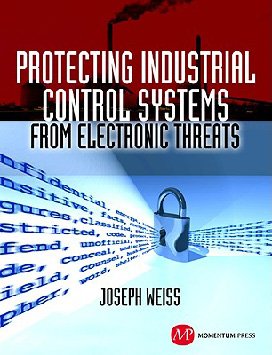
Dirigido tanto a los principiantes, como a los expertos en seguridad informática y sistemas de control industrial (ICS), este libro ayudará a los lectores a comprender mejor la protección de normas de control interno de las amenazas electrónicas. ... Leer más ►
Publicado el 3-Ene-2012 • 20.16hs
Publicado el 25-Set-2009 • 01.26hs
Publicado el 17-Dic-2008 • 08.32hs
Publicado el 11-Oct-2016 • 12.48hs
Publicado el 15-Mar-2016 • 11.59hs
Publicado el 2-Feb-2017 • 11.38hs
Publicado el 20-Jun-2014 • 17.17hs
Publicado el 31-May-2011 • 05.13hs
Publicado el 25-Set-2008 • 17.54hs
Publicado el 1-Set-2016 • 16.11hs
Publicado el 31-Ago-2016 • 18.53hs
Publicado el 19-Ene-2017 • 15.47hs
Publicado el 4-Jul-2016 • 18.51hs
 © 2001-2026 DAA Contenidos Digitales, S.L.
![IBM Security Trusteer: Suite para protección avanzada contra el fraude. Introducción y demo. [Video]](https://www.seguridadmania.com/img/articles/71525/Captura.PNG)


![Ciberseguridad en Comunicaciones y Skype para empresas con Voiping [Video-entrevista de 40 mnts.]](https://www.seguridadmania.com/img/articles/71425/Volping.PNG)
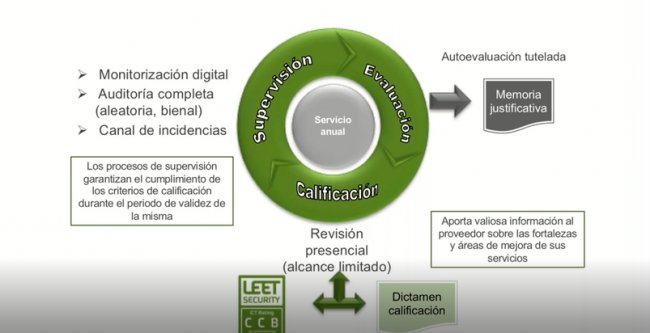
![Ciberseguridad en la gran empresa según el CIO de Vocento [Webinar de 6o min]](https://www.seguridadmania.com/img/articles/71622/vocento.png)