How to build a cloud in under an hour? - Seguridad Mania.com - España y América Latina
Portal sobre tecnologías para la seguridad física
Estás en »Webinars
Estás en »Webinars
Miércoles 12 de Jul, 2023
Learn how to build a cloud Building your own cloud entails several challenges. What hardware should you standardise on? Which software to choose? How do you ensure resilience and the desired level of security? And last but not least, how can you operate it effectively 24/7? Those are just examples of the most common concerns faced by IT leaders. Our workshop will introduce you to key tools to get started. You will learn how to build a cloud for proof of concept (PoC) purposes. Together, we will spin up a fully functional, highly available environment, capable of running production workloads. For these purposes, we will use Sunbeam - a new OpenStack project created to set the foundation for zero-ops OpenStack. Build your own cloud with us If you just want to join us to listen and learn, you are more than welcome. However, this workshop also provides you with an opportunity to build your own cloud on the spot. If this is something that you’re interested in, please follow the instructions below for the exact requirements. Come prepared, get it working and impress your manager. Prerequisites You should have the following ready to go for the workshop: 1) A minimum of three machines with Ubuntu 22.04 server edition pre-installed. Each node should have a minimum of: a) 4-Core CPU b) 16 GB of RAM c) 2x 100 GB Disk - one for the base OS and one for the block storage d) 2x NIC - one for the control plane traffic and one for the data plane traffic 2)Two pools of IP addresses available to be used: a) One for control plane services, from the subnet attached to the first NIC b) One for instance floating IPs, from the subnet attached to the second NIC (plus the VLAN ID, if using tagged VLANs) 3)Public internet access to the following domains: a) snapcraft.io b) charmhub.io c) registry.jujucharms.com d) registry.terraform.io e) quay.io f) dockerhub.io g) ghcr.io
05:30 - 06:00 hs GMT+1
12:00 - 13:00 hs GMT+1
03:00 - 04:00 hs GMT+1
05:00 - 06:00 hs GMT+1
14:00 - 15:00 hs GMT+1
03:00 - 04:00 hs GMT+1
18:30 - 19:00 hs GMT+1
02:00 - 03:00 hs GMT+1
02:00 - 03:00 hs GMT+1
01:00 - 02:00 hs GMT+1
04:30 - 05:00 hs GMT+1
05:00 - 06:00 hs GMT+1
09:00 - 10:00 hs GMT+1
11:30 - 12:00 hs GMT+1
13:30 - 14:00 hs GMT+1
23:00 - 00:00 hs GMT+1
00:00 - 01:00 hs GMT+1
00:00 - 01:00 hs GMT+1
00:00 - 01:00 hs GMT+1
00:00 - 01:00 hs GMT+1
05:00 - 06:00 hs GMT+1
08:00 - 09:00 hs GMT+1
08:00 - 09:00 hs GMT+1
10:00 - 11:00 hs GMT+1
05:00 - 06:00 hs GMT+1
06:00 - 07:00 hs GMT+1
01:00 - 02:00 hs GMT+1
08:00 - 09:00 hs GMT+1
05:00 - 06:00 hs GMT+1
05:00 - 06:00 hs GMT+1
10:00 - 11:00 hs GMT+1
16:00 - 17:00 hs GMT+1
03:00 - 04:00 hs GMT+1
05:00 - 06:00 hs GMT+1
05:30 - 06:00 hs GMT+1
12:00 - 13:00 hs GMT+1
03:00 - 04:00 hs GMT+1
05:00 - 06:00 hs GMT+1
14:00 - 15:00 hs GMT+1
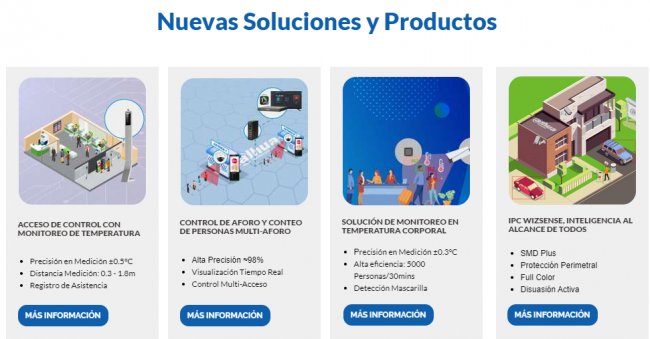
La Autoridad Portuaria de la Bahía de Algeciras (APBA) ha instalado cámaras térmicas en las zonas de mayor tránsito de pasajeros del puerto para controlar la temperatura corporal de los pasajeros sin necesidad de pararles. ... Leer más ►
Publicado el 2-Jul-2020 • 14.23hs
Publicado el 25-Ene-2017 • 19.27hs
Publicado el 20-Ene-2017 • 13.11hs
![Ciberseguridad en la gran empresa según el CIO de Vocento [Webinar de 6o min]](https://www.seguridadmania.com/img/articles/71622/vocento.png)
Publicamos grabación de webinar que tuvo lugar el pasado 28/03/2019 por el CIO del Grupo de Medios de Comunicación español Vocento Jorge Oteo en el que explica su visión de la Ciberseguridad hoy. ... Leer más ►
Publicado el 29-Mar-2019 • 10.12hs
Publicado el 20-Jun-2018 • 11.21hs
Publicado el 31-May-2018 • 10.21hs
... Leer más ►
Publicado el 23-Jun-2020 • 16.05hs
Publicado el 26-Set-2019 • 10.36hs
Publicado el 26-Mar-2019 • 12.09hs
Publicado el 11-Oct-2016 • 12.48hs
Publicado el 15-Mar-2016 • 11.59hs
Publicado el 2-Feb-2017 • 11.38hs
Publicado el 20-Jun-2014 • 17.17hs
Publicado el 31-May-2011 • 05.13hs
Publicado el 25-Set-2008 • 17.54hs
Publicado el 1-Set-2016 • 16.11hs
Publicado el 31-Ago-2016 • 18.53hs
Publicado el 19-Ene-2017 • 15.47hs
Publicado el 4-Jul-2016 • 18.51hs
 © 2001-2026 DAA Contenidos Digitales, S.L.


